Getting Started
Uinta™ is a field data management software with advanced mapping capabilities. You can create a customized project template to reflect your job and replace paper forms with efficient electronic data forms. With Uinta, you can easily share data between the office and field.
Learn how install the Uinta software and set up user licenses:
System Requirements
Uinta runs on Windows, Android, and iOS devices. For optimal viewing, screen size should be 6.26 in (159 mm) or larger on diagonal.
|
Windows |
|
|---|---|
|
Component |
Requirement |
| Operating system |
Windows 10 (64-bit) or later |
| Memory (RAM) |
4 GB or more |
| Available storage |
At least 5 GB for installation and updates |
| Processor |
Intel Core i3 or later (or equivalent) |
| Wireless connectivity |
Bluetooth required |
|
Android |
|
|---|---|
|
Component |
Requirement |
| Operating system |
Android 9 or later |
| Available storage |
At least 2 GB for installation and updates |
| Wireless connectivity |
Bluetooth required |
|
Apple iOS |
|
|---|---|
|
Component |
Requirement |
| Operating system |
iOS 15 or later |
| Available storage |
At least 2 GB for installation and updates |
| Wireless connectivity |
Bluetooth required |
Set Up Uinta Account
Uinta software requires an account with login credentials and an active license. If you purchased Uinta directly from Juniper Systems on our website or other location, your account was set up as part of the purchase process. Skip to Manage Licenses.
Learn more about redeeming your purchase coupon and activating your Uinta license(s):
Redeem Purchase Coupon
If you purchased Uinta from an authorized business partner, you will receive an order summary email. This email contains your purchase coupon and all the links you need to create your account with Juniper Systems License Manager, assign licenses to devices, and download and install Uinta.
From your order summary email:
- Follow the link in Step 1 of the email to redeem the purchase coupon to access the Uinta License Manager.
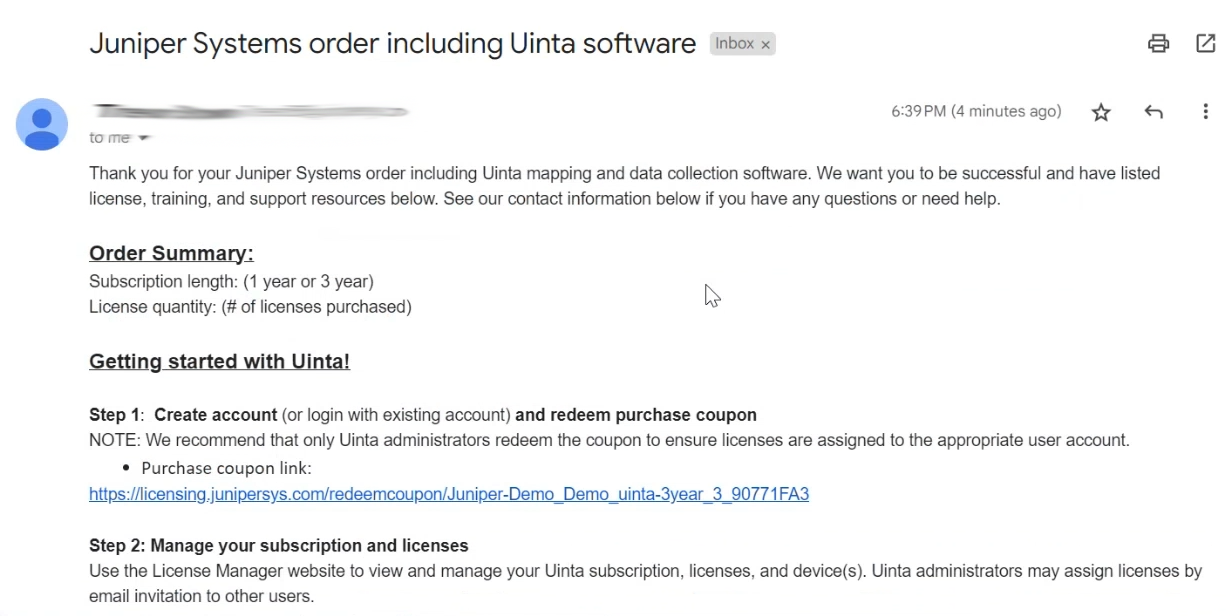
Note: We recommend that only Uinta subscription administrators redeem the coupon to ensure the subscription management features, such as assigning/revoking licenses to other users, are assigned to the appropriate user account.
- If you have a Juniper Systems account, enter your credentials and tap Sign in.
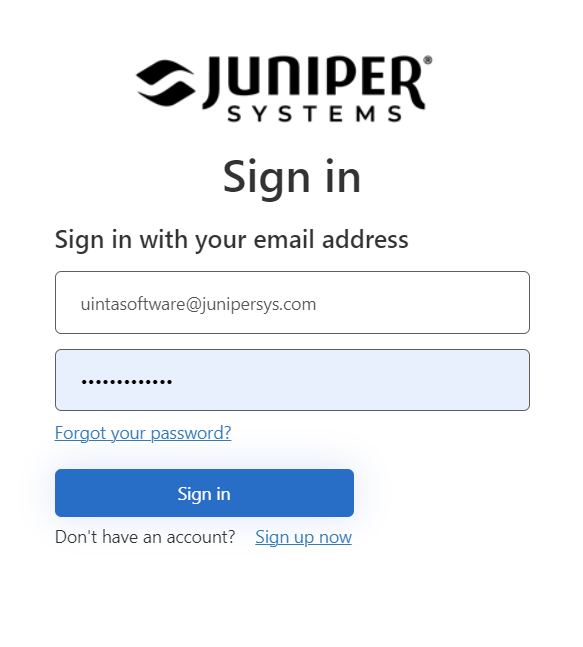
- Tap Redeem coupon and activate subscription.